

What’s new in Retime: find a time that works for everyone
November brought Find a Time for group meetings, Ava on Telegram, Google One Tap on retime.so, and fixes for cancellations, reschedules and booking times.
A booking page works when one person picks a time with you. It works less well when five people need to agree. Then the planning moves to a long email thread, or to a poll that nobody fills in.
This month Retime does that work for you.
Find a Time
Open Find a time in the dashboard. Enter a title, a length (30, 45, 60 or 90 minutes), a date range of up to four weeks, and the people. Mark each person as required or optional.
Retime then shows the best times, ranked: times when every required person is free come first, then times with the fewest people busy. Each time says who is free, who is busy and who has not answered yet.
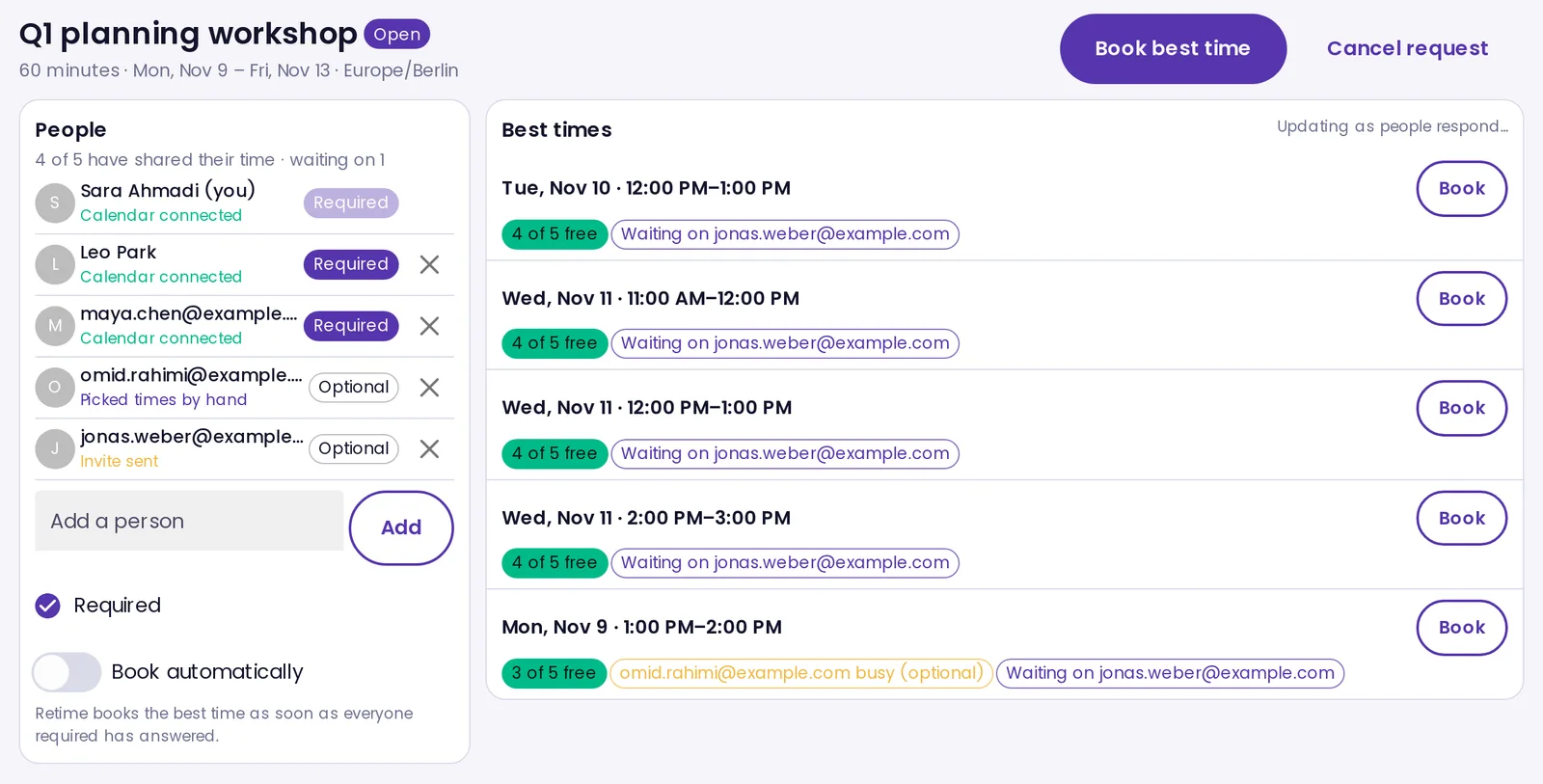 The organizer’s view. The list updates as people respond.
Below the list, a heatmap shows every start time in the range. A darker cell means more people are free, and an outline means every required person is free. Click a time to book it, or turn on Book automatically and Retime books the best time as soon as everyone required has answered. Everyone gets a calendar invite.
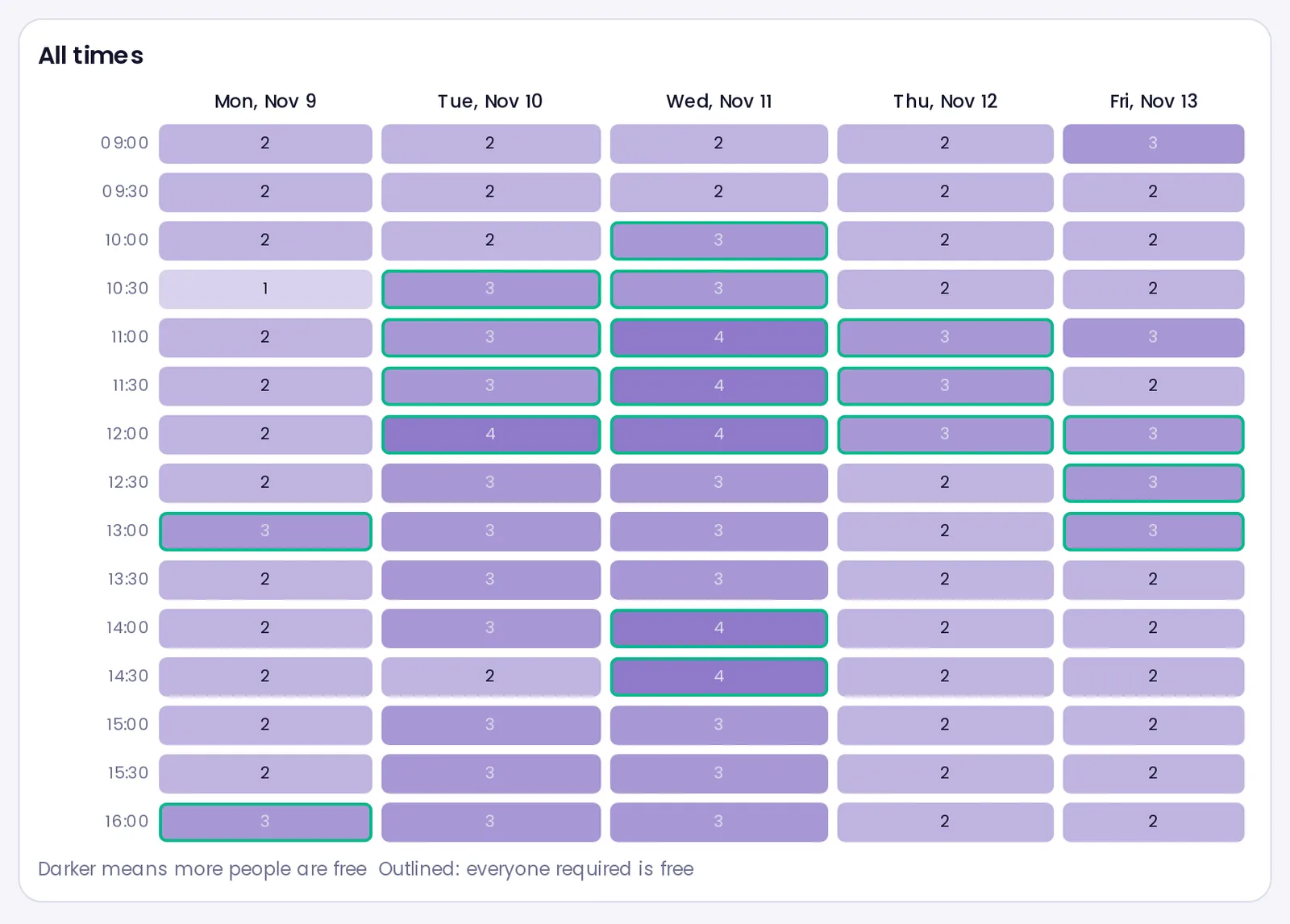 Every start time in the range, one week at a time.
How each person shares their time
- Teammates who share their free time with your organization (the default) are included straight away.
- People not on Retime get an email. They continue with Google or Microsoft once, which creates their account and connects their calendar. If they prefer, they pick their free times by hand, with no account.
- People already on Retime get a short email: Approve for this request, Always allow you, or Decline.
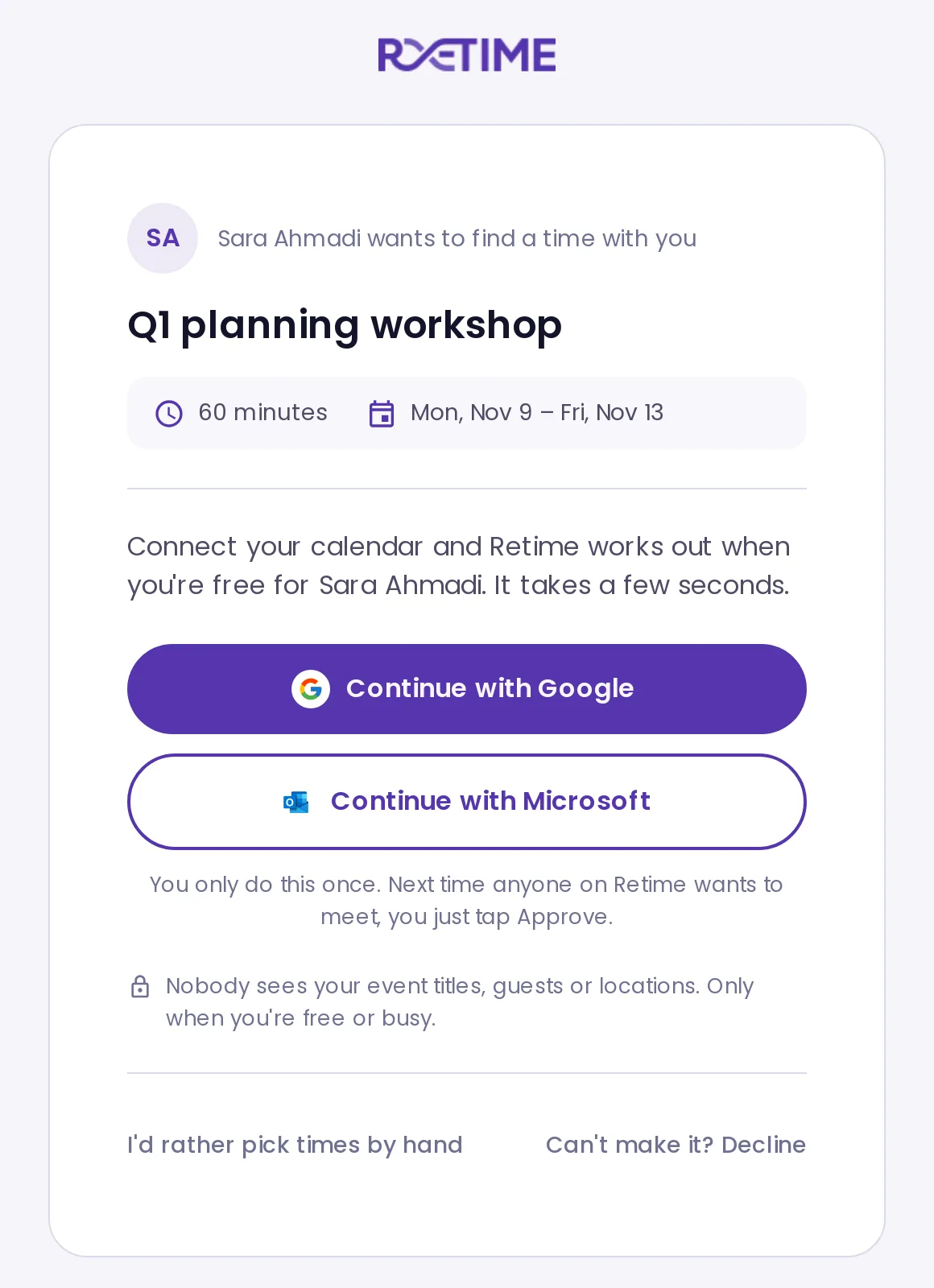 What a person outside your team sees when they open the invite.
Nobody sees anyone else’s event titles, guests or locations. Retime shows only free or busy.
Sharing settings
A new Sharing page in Settings controls who can see when you are free. Keep the default, People in my organization, or choose Only people I approve. The page also lists everyone you have approved, and you can revoke each approval.
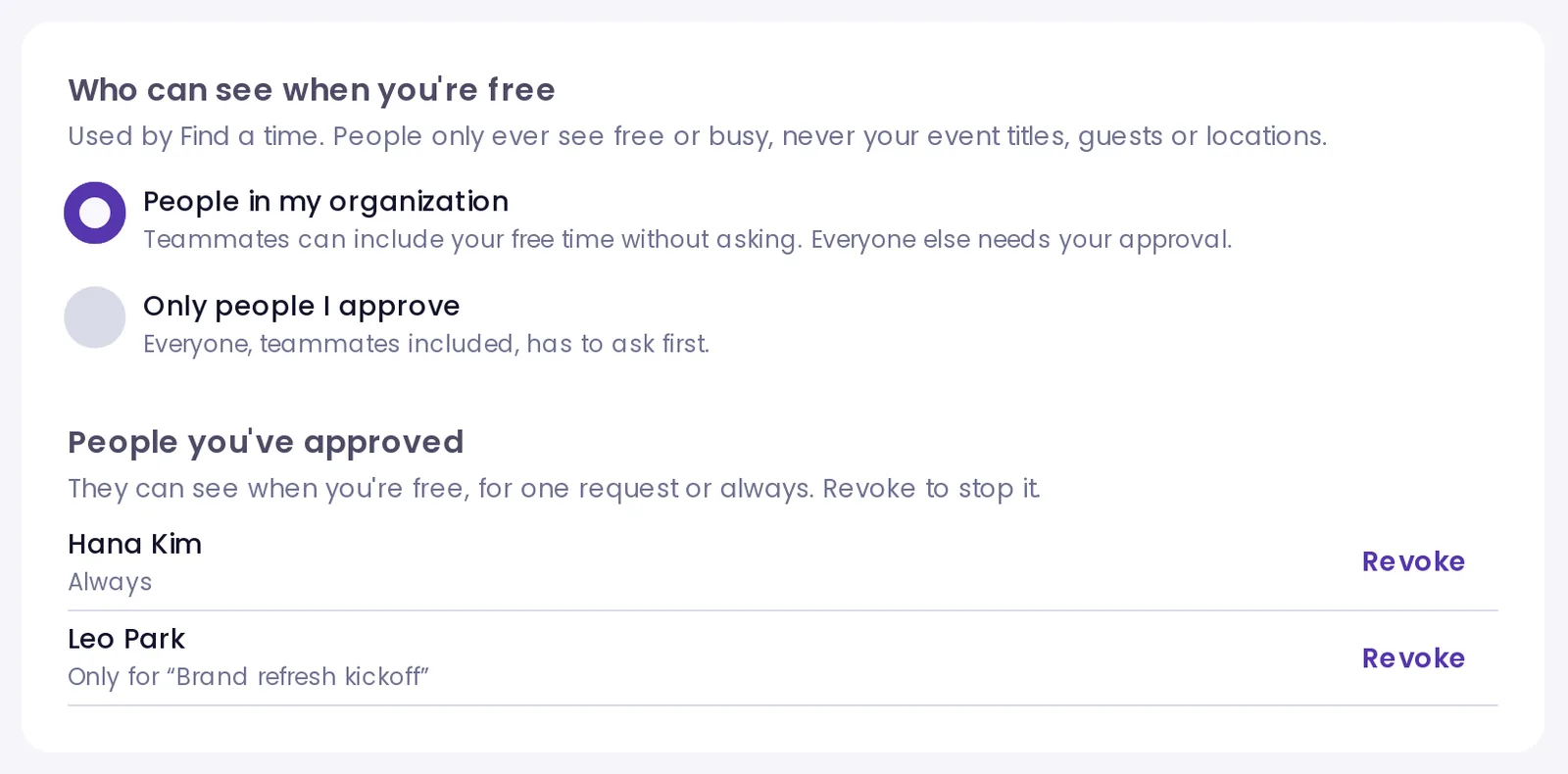 Settings → Sharing.
Ava on Telegram
The assistant from last month’s update now works in Telegram too. Go to Settings → Integrations and press Connect Telegram.
 Connect, change settings or disconnect from Settings → Integrations.
- Ask in plain words. Ava answers questions about your schedule. Before it books, moves or cancels anything, it shows a card, and nothing changes until you press the confirm button.
- Your agenda on demand. Send /today, /tomorrow or /week.
- A daily digest. Today’s meetings and tomorrow’s agenda arrive once a day, at a time you choose (6 pm by default).
- Meeting summaries. After Retime summarizes a meeting, the summary comes to your chat.
Ava on Telegram is part of the paid plans.
Google One Tap on the Retime website
If you are signed in to Google in your browser, retime.so now shows Google’s One Tap prompt. One tap signs you in, or creates your account, and opens your dashboard. The prompt does not show when you are already signed in to Retime.
Reliability fixes
- Cancellations finish. When one step of a cancellation failed, the steps after it could stop, so a freed slot stayed taken. Now every step runs.
- Find a Time links stay clear. A guest who opens an invite after the meeting was booked or cancelled now sees that, not “expired”. View booking on a booked request now opens the meeting.
- Reschedules are safer. A guest reschedule now takes the same locks as a new booking, so two people cannot move onto the same slot. Recurring bookings are checked on every date of the series.
- Booking times match the page. A time listed on your booking page is now always accepted, and a slot no longer runs past the end of your available hours.
- Long time off counts. An out-of-office block that started before the week you look at now blocks every day it covers.
- Billing. Deleting an organization now cancels its Stripe subscription, so nobody is charged after the delete.
Create your Retime account and find a time for your next team meeting.

